Integrating the Ikea Starkvind with Home Assistant using deCONZ
Ikea Starkvind and Home Assistant
We recently bought an Ikea Starkvind Air Purifier, which supports Zigbee. I wanted to find out what I could do with it from within Home Assistant, possibly automating when it runs and when not. I also wanted to add some UI elements, like the mushroom fan card or the air purifier card, both of which rely on there being a fan entity.
Zigbee integration with deCONZ
I already had a ConbeeII Zigbee USB controller in use with the deCONZ Integration. Pairing the Starkvind was a matter of telling the Phoscon Software (which comes with the deCONZ integration) to scan for new sensors and pushing the pairing button on the Starkvind.
Surprisingly enough, only three entities showed up in Home Assistant:
- Air Purifier PM25
- Fan Mode
- Filter Runtime
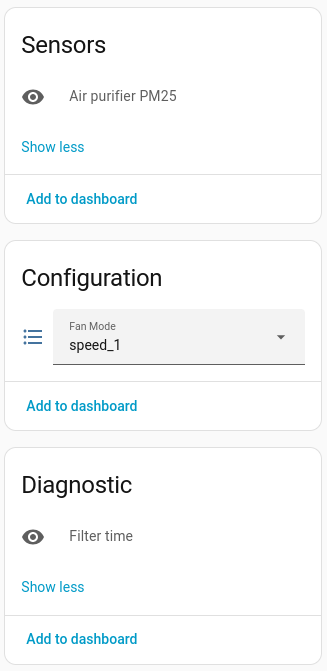
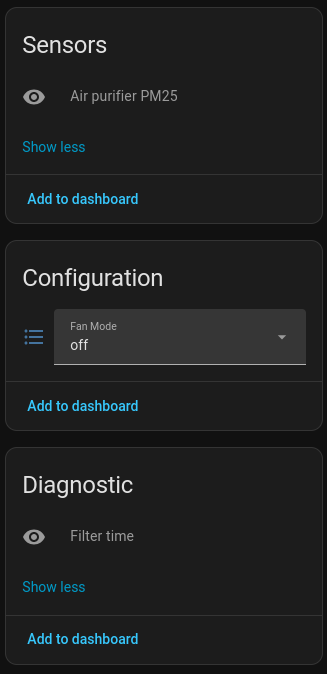 deCONZ entities exposed through Home Assistant for the Starkvind Air Purifier
When looking in the deCONZ application there were a lot more attributes:
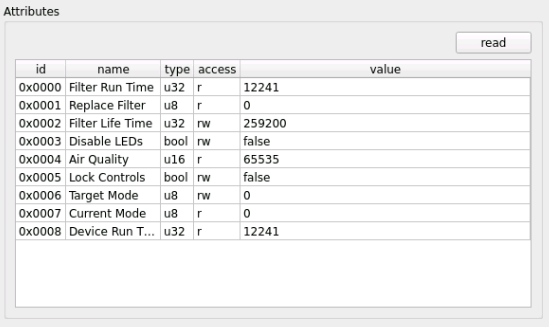
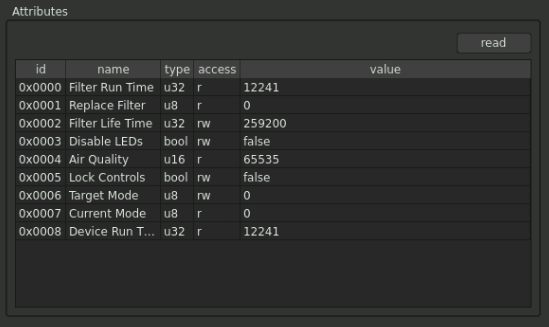 deCONZ cluster information
The deCONZ integration uses a python library for deconz, and in issue #322 I found that only these three items were actually requested to be added. I have since requested some more, but it’s uncertain when and if those will be made available.
I came across this blog post by OyWin, detailing how they used the REST sensors to add their Starkvind into Home Assistant. While the approach was definitely the right way to go, I was not a fan of doing so many individual REST calls (one per sensor) as it’s not needed - Home Assistant can handle it in 1 call per REST-API target.
deCONZ REST-API
Checking the deCONZ REST-API documentation for the Starkvind, there are a lot more attributes available, published under different devices: ZHAAirPurifier and ZHAParticulateMatter
The ones I wanted were:
ZHAAirPurifier
| Section | Attribute | Exposed via deCONZ integration | R/O or R/W |
|---|---|---|---|
| Config | filterlifetime | x | Read/Write |
| Config | ledindication | x | Read/Write |
| Config | locked | x | Read/Write |
| Config | mode | ✓ | Read Write |
| Config | on | x | Read Only |
| State | deviceruntime | x | Read Only |
| State | filterruntime | ✓ | Read Only |
| State | lastupdated | x | Read Only |
| State | replacefilter | x | Read Only |
| State | speed | x | Read Only |
ZHAParticulateMatter
| Section | Attribute | Exposed via deCONZ integration | R/O or R/W |
|---|---|---|---|
| State | measured_value | ✓ | Read Only |
| State | airquality | x | Read Only |
Time to get those into Home Assistant.
Configuring the deCONZ REST-API port
In order to be able to query the deCONZ REST-API, you need to make sure a port is configured in Home Assistant → Settings → Apps → deCONZ → Configuration 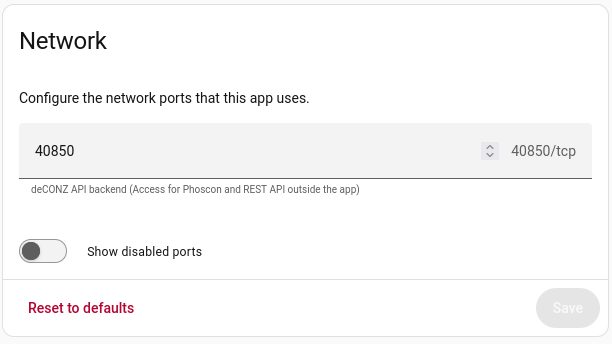
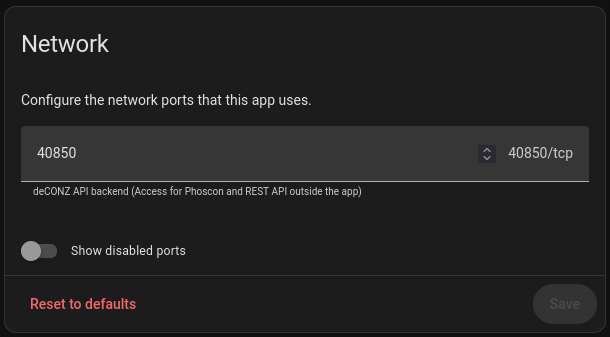 deCONZ App Network Configuration
If this port is set you’ll be able to issue http queries to the URL of your Home Assistant installation on the port specified. In my case this is http://home-assistant.internal:40850/
Finding the correct API urls
To find the correct API endpoints to use go to Home Assistant → deCONZ → Phoscon. Open the hamburger menu on the left and pick Help → API Information 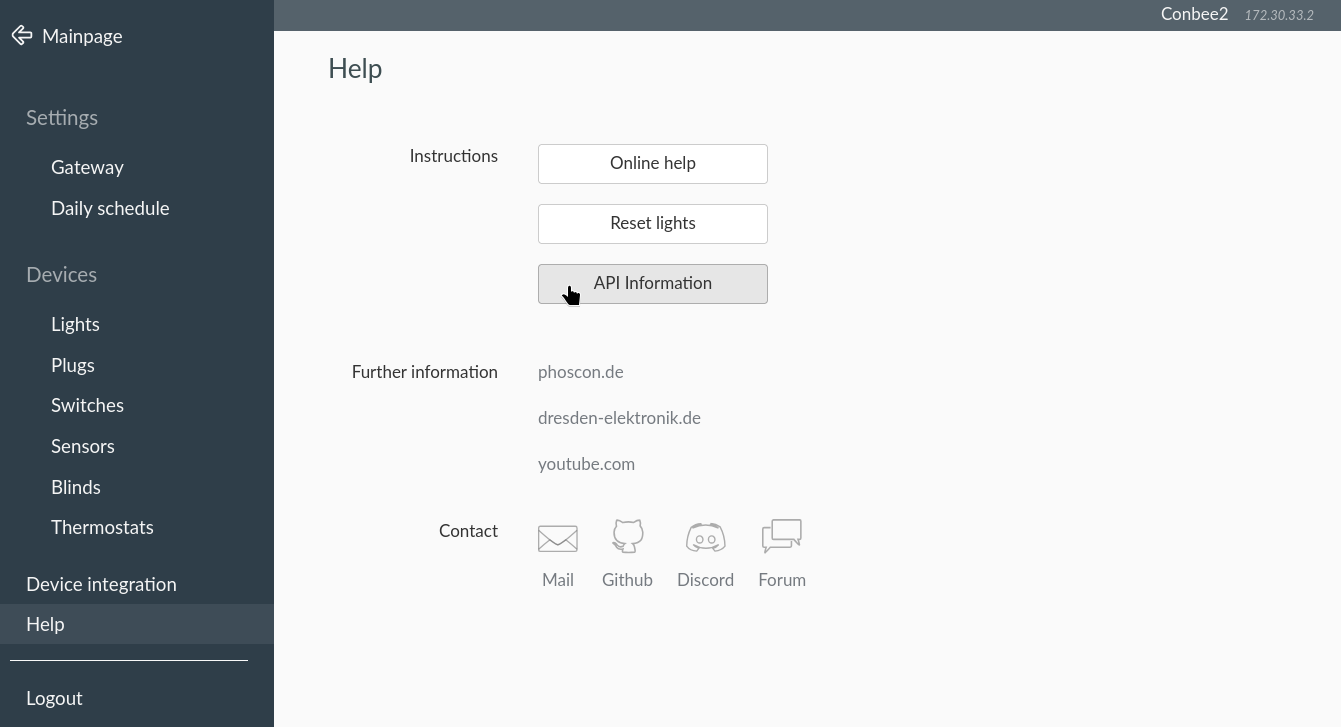 Phoscon API Information screen
In the subsequent screen, pick “Sensors” and look for “Ikea STARKVIND Air Purifier”. You should find two entries in the dropdown: 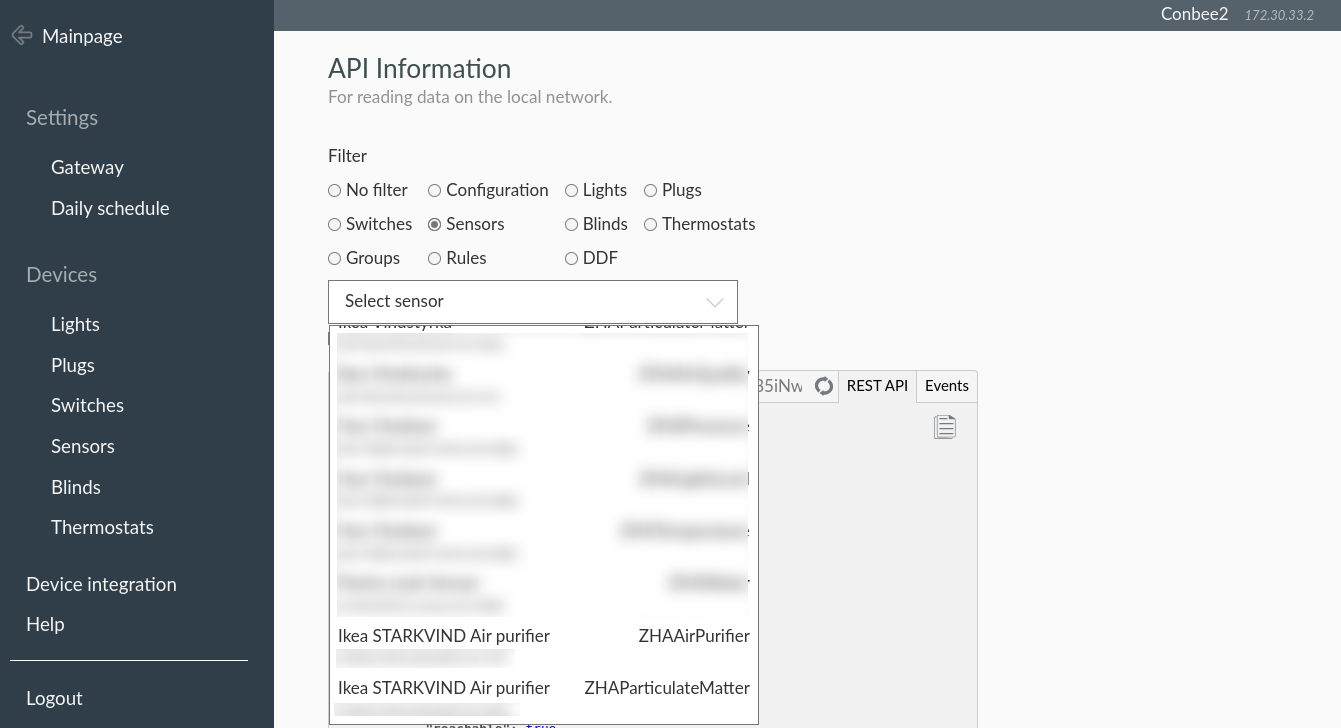 Phoscon API Information for the Starkvind Air Purifier
Once you click on one of the sensors, you will get a dump of what the API returns, and on top of that window, the API endpoint URL. In my example this reads:
//home-assistant.internal:8123/api/hassio_ingress/juXMtc1g4Z85iNwXSis58q2z7Kw7XO0Lz5k2X6cBsZ0/api/792DA42905/sensors/93. The converted direct unauthenticated URL becomes http://home-assistant.internal:40850/api/792DA42905/sensors/93. 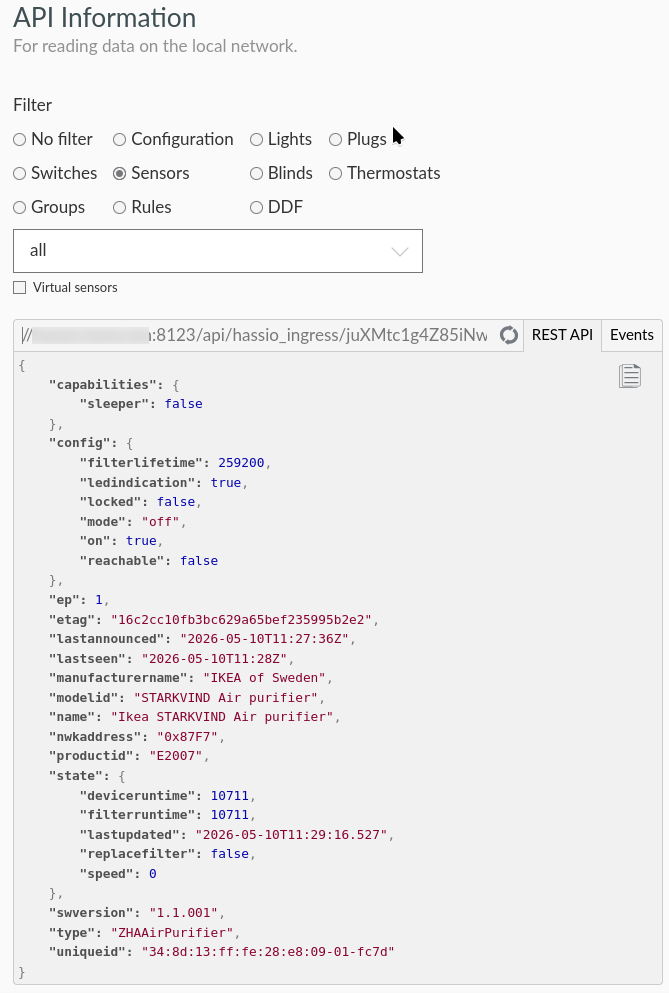 Phoscon API information for the ZHAAirPurifier entity of the Starkvind Air Purifier
792DA42905 is your own API key, and 93 is the internal numbering of deCONZ for your sensor.
Now, this URL allows you to query the API from the outside. I did not need this as I wanted to run the queries from inside Home Assistant. You can find the internal url by going to Home Assistant → Settings → Devices & services, selecting the deCONZ integration and picking the Conbee2. In the Service Info there is a “Visit” link, which shows you the internal hostname to use. 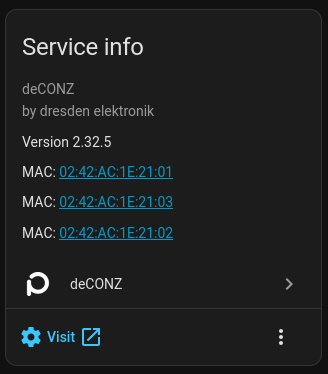
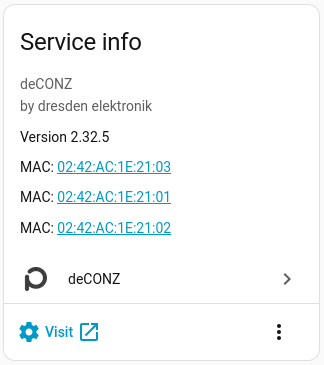 deCONZ Conbee2 Service Information
This will usually be core-deconz, so the URL becomes http://core-deconz:40850/api/<apikey>/sensors/<sensor-id>.
Home Assistant Configuration
Creating the REST sensors
Using the URL assembled above I added the sensor and binary_sensor entities to Home Assistant.
1
2
3
4
5
6
7
8
9
10
11
12
13
14
15
16
17
18
19
20
21
22
23
24
25
26
27
28
29
30
31
32
33
34
35
36
37
38
39
40
41
42
43
44
45
46
47
48
49
50
51
52
53

- rest:
  - resource: http://core-deconz:40850/api/792DA42905/sensors/93
    binary_sensor:
      - name: Ikea Starkvind Led Indication
        value_template: "{{ value_json.config.ledindication }}"
        unique_id: ikea_starkvind_led_indication

      - name: Ikea Starkvind Locked
        value_template: "{{ value_json.config.locked }}"
        unique_id: ikea_starkvind_locked

      - name: Ikea Starkvind Sensor On
        value_template: "{{ value_json.config.on }}"
        unique_id: ikea_starkvind_sensor_on

      - name: Ikea Starkvind Replace Filter
        value_template: "{{ value_json.state.replacefilter }}"
        unique_id: ikea_starkvind_replace_filter

    sensor:
      - name: Ikea Starkvind Filter Runtime
        value_template: "{{ value_json.state.filterruntime }}"
        unique_id: ikea_starkvind_filter_runtime
        device_class: duration
        unit_of_measurement: min

      - name: Ikea Starkvind Device Runtime
        value_template: "{{ value_json.state.deviceruntime }}"
        unique_id: ikea_starkvind_device_runtime
        device_class: duration
        unit_of_measurement: min

      - name: Ikea Starkvind Filter Lifetime
        value_template: "{{ value_json.config.filterlifetime }}"
        unique_id: ikea_starkvind_filter_lifetime
        device_class: duration
        unit_of_measurement: min

      - name: Ikea Starkvind Mode
        value_template: "{{ value_json.config.mode }}"
        unique_id: ikea_starkvind_mode

      - name: Ikea Starkvind Fan Speed
        value_template: "{{ value_json.state.speed }}"
        unique_id: ikea_starkvind_fan_speed
        state_class: measurement

      - name: Ikea Starkvind Last Updated
        value_template: "{{ value_json.state.lastupdated + 'Z' }}"
        unique_id: ikea_starkvind_lastupdated
        device_class: timestamp
Enabling setting the led indicator
To be able to update the ledindication, I added a binary helper called ikea_starkvind_ledindication as a toggle, a rest_command to set it, and an automation to bind the two together:
1
2
3
4
5
6
7
8

rest_command:
  ikea_starkvind_set_ledindication:
    url: "http://core-deconz:40850/api/792DA42905/sensors/93"
    method: put
    content_type: "application/json; charset=utf-8"
    payload: '{ "config": { "ledindication": {{ states("input_boolean.ikea_starkvind_ledindication") | bool | lower }}}}'
1
2
3
4
5
6
7
8
9
10
alias: Ikea Starkvind - Sync Led Indication
description: ""
triggers:
  - trigger: state
    entity_id:
      - input_boolean.ikea_starkvind_ledindication
actions:
  - action: rest_command.ikea_starkvind_set_ledindication
    data: {}
mode: single
Additional sensors
I also added a template sensor to calculate the lifetime left of the filter:
1
2
3
4
5
6
7
8
9

template:
  - sensor:
      name: Ikea Starkvind Filter Lifetime Remaining
      state: "{{ states('sensor.ikea_starkvind_filter_lifetime') | int - states('sensor.ikea_starkvind_filter_runtime') | int }}"
      unique_id: ikea_starkvind_filter_lifetime_remaining
      device_class: duration
      unit_of_measurement: min
Creating a Fan entity
To use the premade cards I needed a fan entity. This can be created as a template, based off of the previously created entities:
1
2
3
4
5
6
7
8
9
10
11
12
13
14
15
16
17
18
19
20
21
22
23
24
25
26
27
28
29
30
31
32
33
34
35
36
37
38
39
40
41
42
43
44
45
46
47
48
49

- fan:
    - name: "IKEA Starkvind"
      unique_id: ikea_starkvind_fan
      availability: "{{ states('select.ikea_starkvind_fan_mode') not in ['unknown', 'unavailable'] }}"
      state: "{{ states('select.ikea_starkvind_fan_mode') != 'off' }}"
      percentage: >
        {% set map = {
          'speed_1': 20, 'speed_2': 40, 'speed_3': 60,
          'speed_4': 80, 'speed_5': 100
        } %}
        {{ map.get(states('select.ikea_starkvind_fan_mode'), 0) }}
      preset_mode: >
        {% if states('select.ikea_starkvind_fan_mode') == 'auto' %}auto{% endif %}
      preset_modes:
        - auto
      speed_count: 5
      turn_on:
        action: select.select_option
        target:
          entity_id: select.ikea_starkvind_fan_mode
        data:
          option: auto
      turn_off:
        action: select.select_option
        target:
          entity_id: select.ikea_starkvind_fan_mode
        data:
          option: "off"
      set_percentage:
        action: select.select_option
        target:
          entity_id: select.ikea_starkvind_fan_mode
        data:
          option: >
            {% if percentage == 0 %} off
            {% elif percentage <= 20 %} speed_1
            {% elif percentage <= 40 %} speed_2
            {% elif percentage <= 60 %} speed_3
            {% elif percentage <= 80 %} speed_4
            {% else %} speed_5
            {% endif %}
      set_preset_mode:
        action: select.select_option
        target:
          entity_id: select.ikea_starkvind_fan_mode
        data:
          option: "{{ preset_mode }}"
Home Assistant Cards
I tried out a few cards to see what I liked.
Custom Purifier Card
My first try was the custom air purifier card with this configuration:
1
2
3
4
5
6
7
8
9
10
11
12
13
14
15
16
17
18
19
20
21
22
23
24
25
26
27
28
29
30
31

type: custom:purifier-card
entity: fan.ikea_starkvind
aqi:
  entity_id: sensor.ikea_starkvind_air_quality_measured_value
  unit: μg/m³
stats:
  - entity_id: sensor.ikea_starkvind_filter_lifetime_remaining
    value_template: "{{ (value | float(0) / 60 / 24 ) | round(1) }}"
    unit: days
    subtitle: Filter Life Remaining
shortcuts:
  - name: Speed 1
    icon: mdi:weather-night
    percentage: 20
  - name: Speed 2
    icon: mdi:circle-slice-2
    percentage: 40
  - name: Speed 3
    icon: mdi:circle-slice-4
    percentage: 60
  - name: Speed 4
    icon: mdi:circle-slice-6
    percentage: 80
  - name: Speed 5
    icon: mdi:circle-slice-8
    percentage: 100
  - name: Auto
    icon: mdi:brightness-auto
    preset_mode: auto
It ended up looking like this, which did not thrill me.
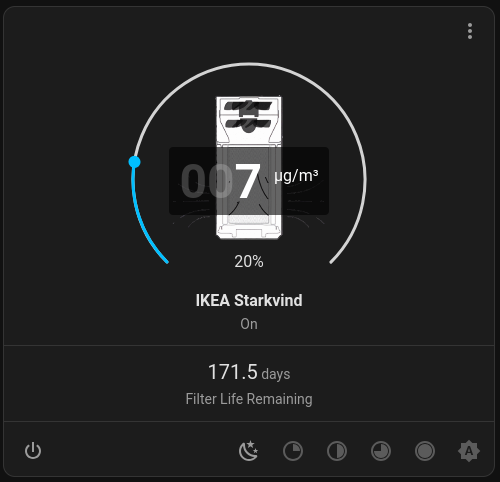
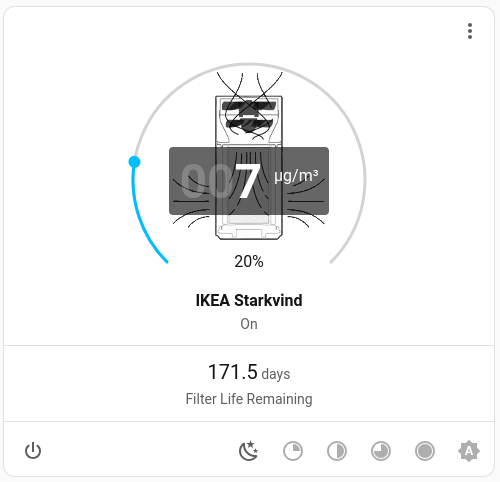 Air Purifier Card
Custom cards
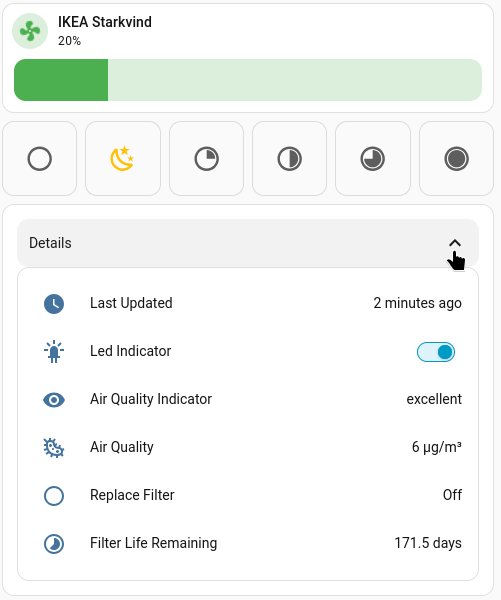
I cobbled something together based on the mushroom-fan-card, the button-card, the template-entity-row and the lovelace-expander-card.
1
2
3
4
5
6
7
8
9
10
11
12
13
14
15
16
17
18
19
20
21
22
23
24
25
26
27
28
29
30
31
32
33
34
35
36
37
38
39
40
41
42
43
44
45
46
47
48
49
50
51
52
53
54
55
56
57
58
59
60
61
62
63
64
65
66
67
68
69
70
71
72
73
74
75
76
77
78
79
80
81
82
83
84
85
86
87
88
89
90
91
92
93
94
95
96
97
98
99
100
101
102
103
104
105
106
107
108
109
110
111
112
113
114
115
116
117
118
119
120
121
122
123
124
125
126
127
128
129
130
131
132
133
134
135
136
137
138
139
140
141
142
143
144
145
146
147
148
149
150
151
152
153
154
155
156
157
158
159
160
161
162
163
164
165
166
167
168
169
170
171
172
173
174
175
176
177
178
179
180
181
182
183
184
185
186
187
188
189
190
191
192
193
194
195
196
197
198
199
200
201
202
203
204

type: vertical-stack
cards:
  - type: custom:mushroom-fan-card
    entity: fan.ikea_starkvind
    icon_animation: true
    primary_info: name
    secondary_info: state
    show_percentage_control: true
    collapsible_controls: true
    show_direction_control: false
    show_oscillate_control: false
  - type: horizontal-stack
    cards:
      - type: custom:button-card
        icon: mdi:circle-outline
        entity: fan.ikea_starkvind
        show_name: false
        aspect_ratio: 1/1
        tap_action:
          action: call-service
          service: fan.set_percentage
          data:
            percentage: 0
          target:
            entity_id: fan.ikea_starkvind
        styles:
          card:
            - background-color: |-
                [[[
                  return entity.state === 'off'
                    ? 'rgba(var(--rgb-state-active-color), 0.2)'
                    : 'var(--ha-card-background)';
                ]]]
          icon:
            - color: |-
                [[[
                  return entity.state === 'off'
                    ? 'var(--state-active-color)'
                    : 'var(--secondary-text-color)';
                ]]]
      - type: custom:button-card
        icon: mdi:weather-night
        entity: fan.ikea_starkvind
        show_name: false
        aspect_ratio: 1/1
        tap_action:
          action: call-service
          service: fan.set_percentage
          data:
            percentage: 20
          target:
            entity_id: fan.ikea_starkvind
        styles:
          card:
            - background-color: |-
                [[[
                  return entity.state === 'on' && entity.attributes.percentage === 20
                    ? 'rgba(var(--rgb-state-active-color), 0.2)'
                    : 'var(--ha-card-background)';
                ]]]
          icon:
            - color: |-
                [[[
                  return entity.state === 'on' && entity.attributes.percentage === 20
                    ? 'var(--state-active-color)'
                    : 'var(--secondary-text-color)';
                ]]]
      - type: custom:button-card
        icon: mdi:circle-slice-2
        entity: fan.ikea_starkvind
        show_name: false
        aspect_ratio: 1/1
        tap_action:
          action: call-service
          service: fan.set_percentage
          data:
            percentage: 40
          target:
            entity_id: fan.ikea_starkvind
        styles:
          card:
            - background-color: |-
                [[[
                  return entity.state === 'on' && entity.attributes.percentage === 40
                    ? 'rgba(var(--rgb-state-active-color), 0.2)'
                    : 'var(--ha-card-background)';
                ]]]
          icon:
            - color: |-
                [[[
                  return entity.state === 'on' && entity.attributes.percentage === 40
                    ? 'var(--state-active-color)'
                    : 'var(--secondary-text-color)';
                ]]]
      - type: custom:button-card
        icon: mdi:circle-slice-4
        entity: fan.ikea_starkvind
        show_name: false
        aspect_ratio: 1/1
        tap_action:
          action: call-service
          service: fan.set_percentage
          data:
            percentage: 60
          target:
            entity_id: fan.ikea_starkvind
        styles:
          card:
            - background-color: |-
                [[[
                  return entity.state === 'on' && entity.attributes.percentage === 60
                    ? 'rgba(var(--rgb-state-active-color), 0.2)'
                    : 'var(--ha-card-background)';
                ]]]
          icon:
            - color: |-
                [[[
                  return entity.state === 'on' && entity.attributes.percentage === 60
                    ? 'var(--state-active-color)'
                    : 'var(--secondary-text-color)';
                ]]]
      - type: custom:button-card
        icon: mdi:circle-slice-6
        entity: fan.ikea_starkvind
        show_name: false
        aspect_ratio: 1/1
        tap_action:
          action: call-service
          service: fan.set_percentage
          data:
            percentage: 80
          target:
            entity_id: fan.ikea_starkvind
        styles:
          card:
            - background-color: |-
                [[[
                  return entity.state === 'on' && entity.attributes.percentage === 80
                    ? 'rgba(var(--rgb-state-active-color), 0.2)'
                    : 'var(--ha-card-background)';
                ]]]
          icon:
            - color: |-
                [[[
                  return entity.state === 'on' && entity.attributes.percentage === 80
                    ? 'var(--state-active-color)'
                    : 'var(--secondary-text-color)';
                ]]]
      - type: custom:button-card
        icon: mdi:circle-slice-8
        entity: fan.ikea_starkvind
        show_name: false
        aspect_ratio: 1/1
        tap_action:
          action: call-service
          service: fan.set_percentage
          data:
            percentage: 100
          target:
            entity_id: fan.ikea_starkvind
        styles:
          card:
            - background-color: |-
                [[[
                  return entity.state === 'on' && entity.attributes.percentage === 100
                    ? 'rgba(var(--rgb-state-active-color), 0.2)'
                    : 'var(--ha-card-background)';
                ]]]
          icon:
            - color: |-
                [[[
                  return entity.state === 'on' && entity.attributes.percentage === 100
                    ? 'var(--state-active-color)'
                    : 'var(--secondary-text-color)';
                ]]]
  - type: custom:expander-card
    title: Details
    cards:
      - type: entities
        entities:
          - entity: sensor.ikea_starkvind_last_updated
            name: Last Updated
          - entity: input_boolean.ikea_starkvind_ledindication
            name: Led Indicator
          - entity: sensor.ikea_starkvind_air_quality
            name: Air Quality Indicator
          - type: custom:template-entity-row
            state: >-
              {{ states('sensor.ikea_starkvind_air_quality_measured_value') }}
              µg/m³
            name: Air Quality
            icon: mdi:bacteria-outline
          - entity: binary_sensor.ikea_starkvind_replace_filter
            name: Replace Filter
          - type: custom:template-entity-row
            name: Filter Life Remaining
            state: |-
              {{ (states('sensor.ikea_starkvind_filter_lifetime_remaining') |
                  float(0) / 60 / 24)| round(1) }} days
            icon: mdi:timelapse
    animation: false
    clear-children: false
This one I kept :)
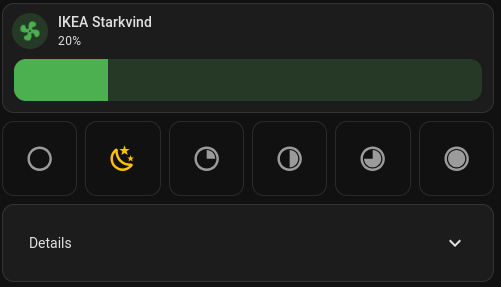
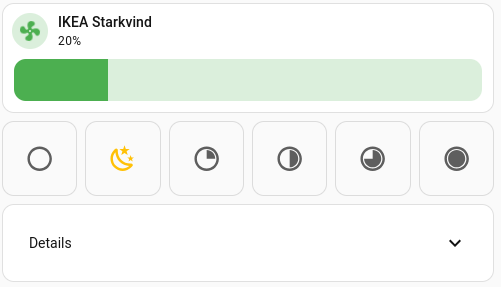 Collapsed custom card
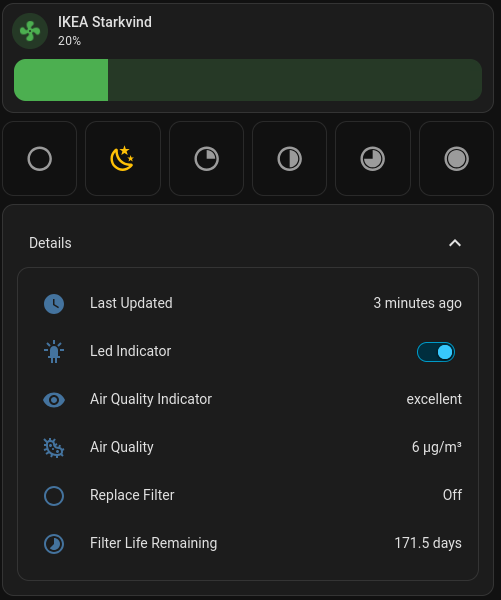
 Unfolded custom card